How to Use CoverSnipps
Follow easy steps to start using CoverSnipps and create professional cover letters in minutes.
Sign In with Google
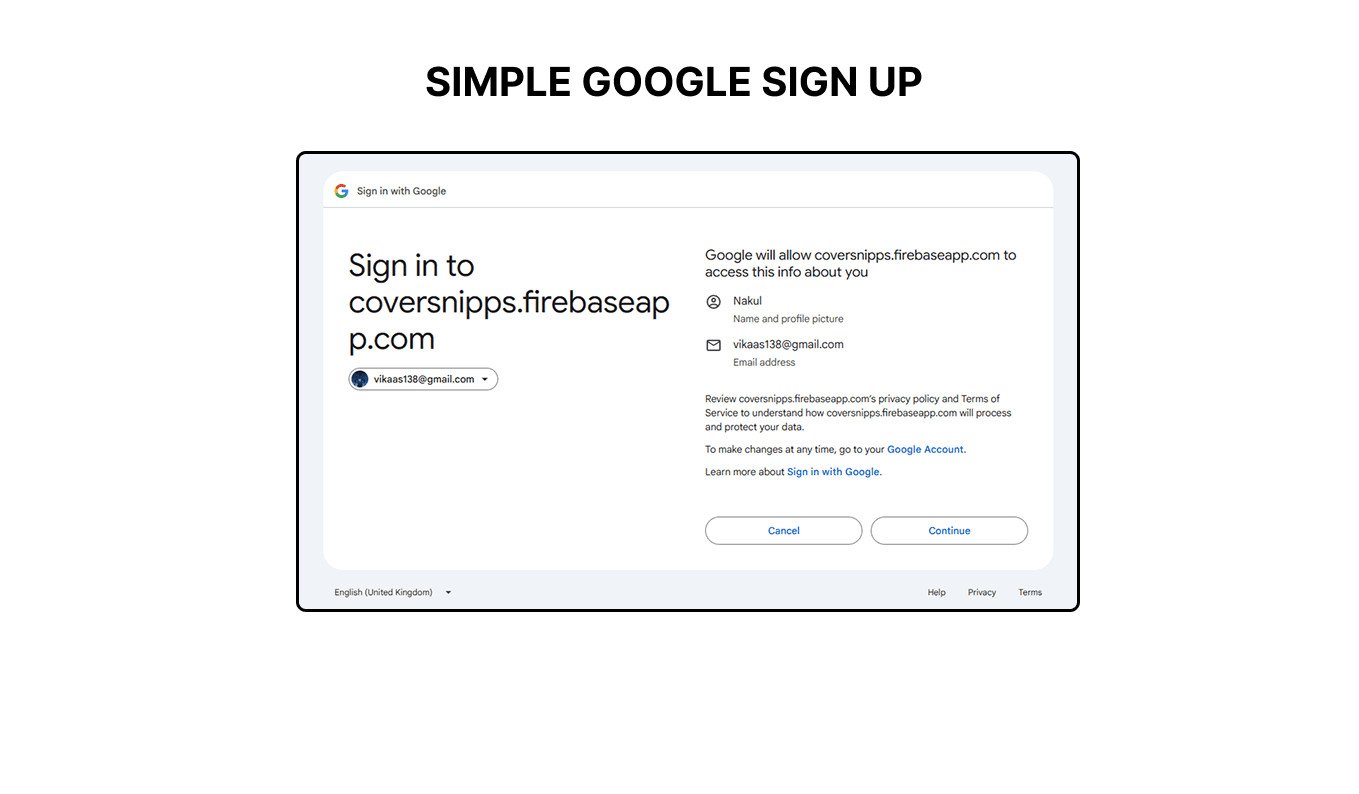
Click the "Sign In" button and authenticate with your Google account. This lets you sync your snippets and cover letters across devices using Google Drive in next step.
Grant Drive Permission
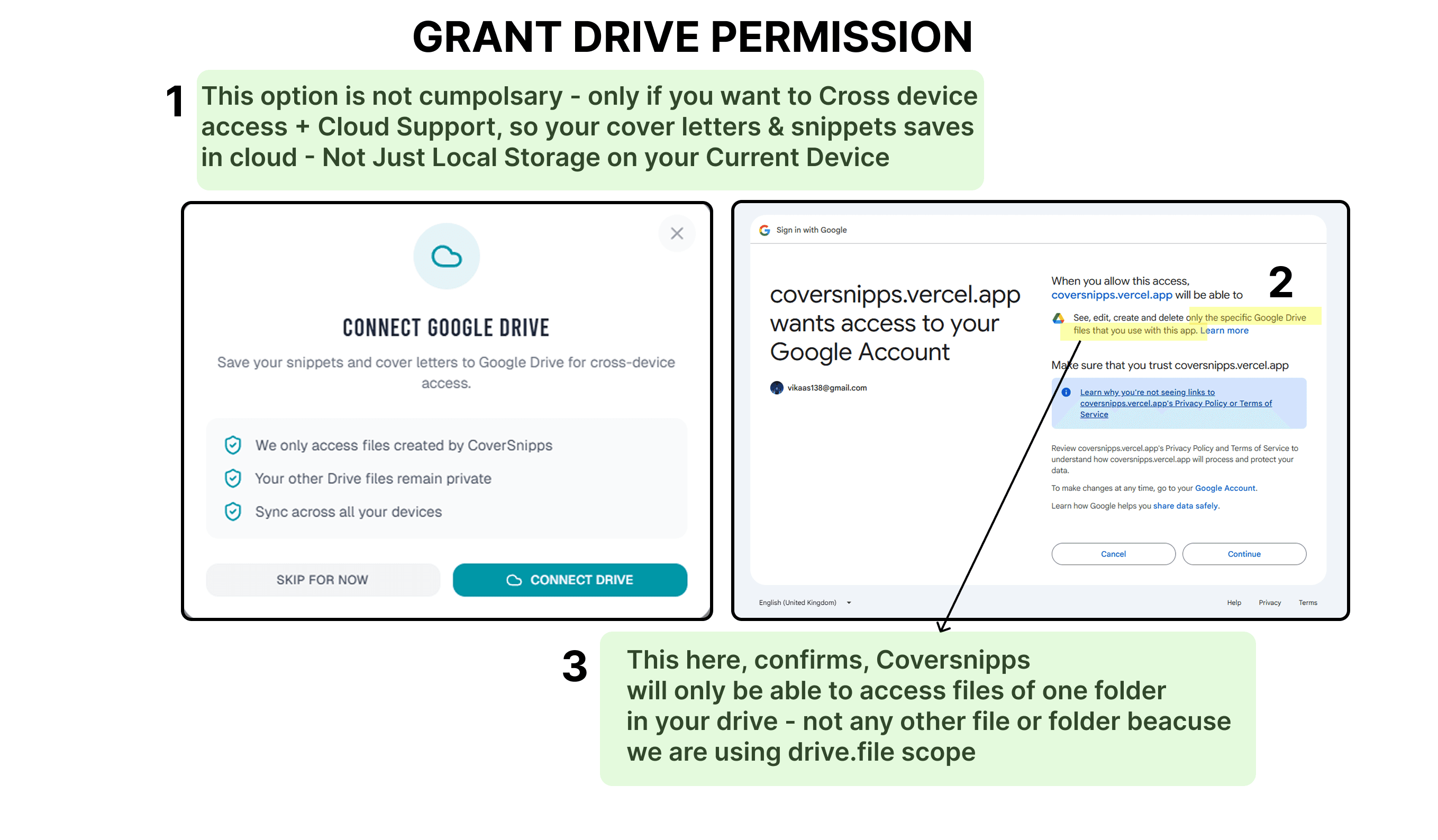
After signing in, you'll be asked to grant CoverSnipps access to Google Drive. We only request permission to access a single folder called "CoverSnipps" that we create for you. We cannot see or access any of your other Drive files or folders—just this one dedicated folder where your cover letters will be saved.
Build Your Snippet Library
Create reusable paragraphs for your cover letters. Organize them into three categories: Headers, Content, and Footers. Think of snippets as building blocks you can reuse across multiple letters. Tag them for easy access and organization.


Compose Your Letter
Click the "+" button on or "Drag and Drop" any snippet to add it to your cover letter preview. Watch your letter build in real-time on the right side of the screen. You can add multiple snippets and arrange them however you like.
Rearrange with Drag & Drop
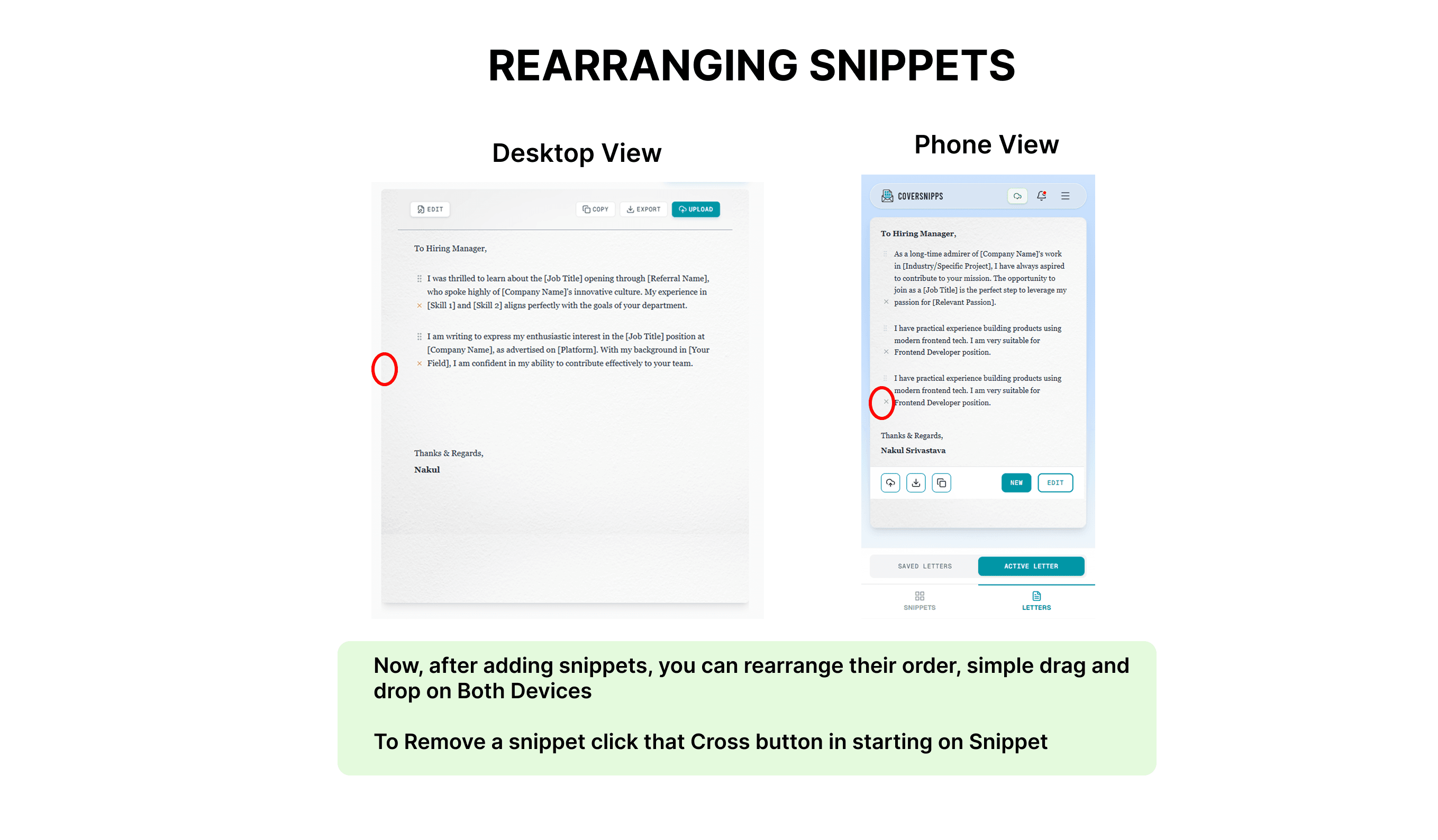
Grab any paragraph in your preview and drag it to reorder. Perfect for when you need to adjust the flow or emphasize different points. Remove paragraphs you don't need by clicking the X button.
Fine-Tune with Edit Mode
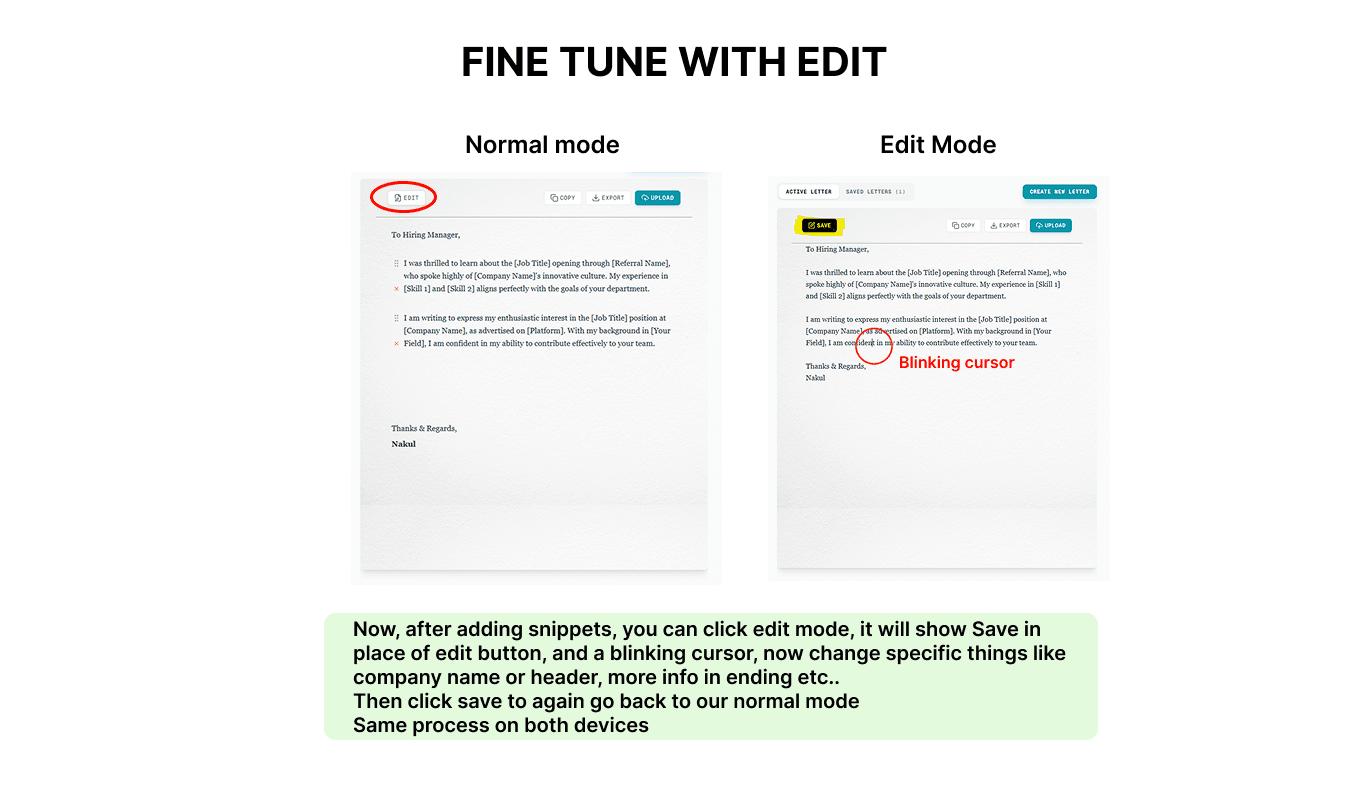
Click "Edit" to switch to a text editor where you can customize your letter further. Make small tweaks, adjust wording, or add job-specific details. Hit "Save" when you're done to convert your edits back to snippets.
Save to Google Drive
Click the "Upload" button to save your cover letter directly to your Google Drive. All your letters are stored in a dedicated CoverSnipps folder. Access them from any device or share them however you like.


Copy or Export
Ready to apply? Click "Copy" to paste directly into a job application, or "Export" to download as a text file. Your letter includes the header, all your content, and a professional sign-off with your name.
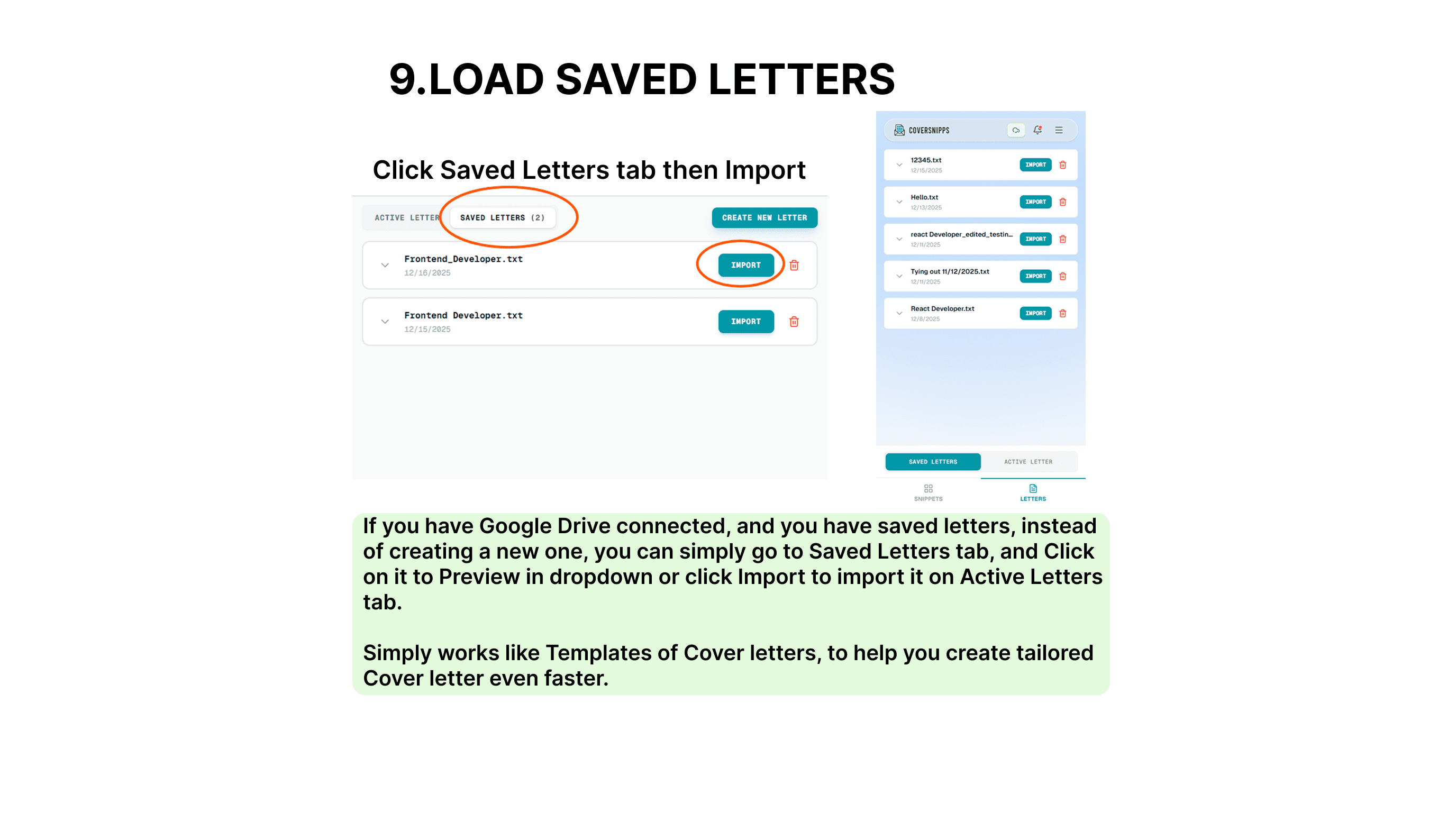
Load Saved Letters
Need to reuse or update a previous cover letter? Click "Saved Letters" tab to browse all your saved letters from Google Drive. Load any letter into the editor to make changes using Import button or use it as a starting point for a new application. You can just preview it by clicking on the letter.
Pro Tips for Maximum Efficiency
Build a Strong Library
Create 5-10 snippets in each category. The more you have, the faster you can build tailored letters.
Keep Snippets Flexible
Write snippets that work for multiple companies. Save company-specific details for edit mode.
Use Descriptive Titles
Name your snippets clearly so you can find them quickly. "Senior Role Opening" is better than "Intro 1".
Manage Your Snippets
On mobile, tap "Manage Snippets" to edit or delete old content. Keep your library clean and relevant.
Ready to Get Started?
Jump into CoverSnipps and start building your snippet library. In less than 30 minutes, you'll have everything you need to create professional cover letters for any job.
Start Building Now